Reference

22win App — Lobby in Your Pocket

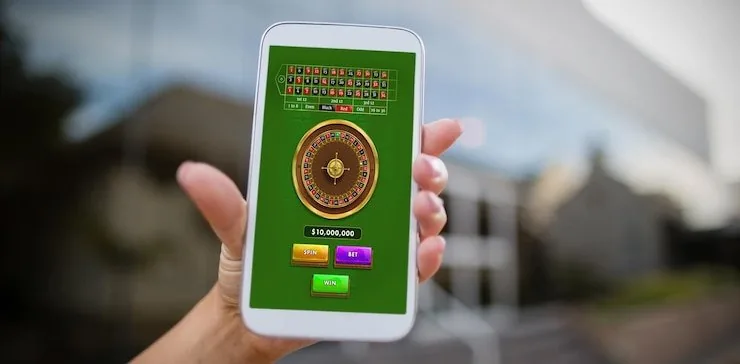
22win runs cleanly in your mobile browser — no installation needed to reach live tables, slots or the sportsbook. Open the site, sign in, and the full lobby loads on your screen. Available where local law permits.

mobile browser accessaccount wallet readyavailability check on deviceLive casino and slots
22win 22win App — Lobby in Your Pocket
DEVICE COMPATIBILITY CHECK

Which Devices and Browsers Work

The 22win mobile interface is built on responsive web standards, so a wide range of devices can access the lobby. Check the points below before you contact support — most access issues come down to an outdated browser rather than a hardware limit.

22win Browser access

Browser access

Current versions of Chrome, Safari, Firefox and Edge on mobile all load the lobby. Older browser versions may not render live-table streams correctly — update first.

22win Screen layout

Screen layout

The lobby reflows for screens from compact smartphones up to tablets. Game tiles, the betslip and the deposit row each adjust to fit without horizontal scrolling.

22win Account requirements

Account requirements

You need a verified 22win account to access any real-money section of the lobby. Registration and identity verification happen through the same browser session.

22win Slots, Live Tables and Your Betslip On the Go

Slots, Live Tables and Your Betslip On the Go

The 22win mobile experience puts the entire lobby in your hand. Pragmatic Play slots like Gates of Olympus load fast on a mobile screen, and Evolution live tables — baccarat, roulette, Dragon Tiger — stream without lag over a standard data connection. Your betslip stays pinned as you browse, so switching from a cricket match market to a crash game takes one

tap. Push notifications alert you when a round is about to close or your deposit clears. A quick-deposit shortcut keeps JazzCash, Easypaisa and Raast one screen away. Fingerprint login means you skip the password every time you return.

APP FEATURE SNAPSHOT

Four Things the Mobile Build Gets Right

Speed, security and layout choices that make the mobile experience practical rather than just possible.

Fingerprint Login Sign in with a biometric scan instead of typing a password. Your account opens in under two seconds once fingerprint access is enabled in your profile settings.
Push Notifications Get an alert when your deposit lands, a live table seat opens, or a sports market you follow is about to close. Toggle these on or off from the notification panel.
Dark Mode Layout The interface switches to a dark theme automatically in low light. Card text and game tiles stay readable without straining your eyes during a late-night session.
Offline Lobby Preview If your connection drops briefly, the lobby grid stays visible so you can browse game tiles and plan your next session before the signal comes back.
22win Mobile Access in 3 Steps

Mobile Access in 3 Steps

Getting into the 22win lobby on your phone takes less than a minute. No app store visit, no file download — just your browser and your account. Players in Lahore, Karachi and Islamabad follow the same path: open the site, check that your browser is current, and you are in. The mobile layout adjusts to your screen size automatically, so portrait or

landscape both work. If you hit a login issue, the support chat icon sits at the bottom of every page.

  • Open the current site — Type 22win into your mobile browser address bar. Chrome and Safari on recent Android and iOS builds both work well.
  • Check browser compatibility — If the lobby tiles do not load, update your browser to the latest version available on your device. Most issues clear after an update and a hard refresh.
  • Sign in securely — Enter your account credentials or use fingerprint login if you have enabled it. An OTP may be sent to your registered number as a second verification step.
  • Enable notifications — When prompted, allow browser notifications so deposit confirmations and round alerts reach you without opening the site each time.

Common Questions About the 22win App

Straight answers to what people ask about using 22win on mobile.

We currently offer full lobby access through your mobile browser at 22win. Check the site directly for any updates on a native app build for Android or iOS.

Log in with your password once, go to account settings, and turn on biometric login. Your device will prompt you to register your fingerprint. After that, the login screen shows the fingerprint option automatically.

Evolution and Pragmatic Play live tables stream on a standard 4G connection. If the stream stutters, switch to Wi-Fi or reduce the stream quality using the settings icon inside the table room.

Yes. Open the deposit screen, select JazzCash or Easypaisa, enter the amount, and send from your wallet app to the account number shown. Confirm with your wallet PIN and the balance updates on your 22win account.

The most common cause is an outdated browser. Update Chrome or Safari to the latest version, clear your cache, and reload 22win. If the problem continues, contact support via the in-page chat.

Yes. When you first visit on mobile, your browser will ask for notification permission. Allow it and you will receive alerts for deposit confirmations, round closings and account activity.
Reference

22win App

Service availability depends on eligible regions and local law. Users should check local rules before opening an account.

Access may be available only where local law permits.